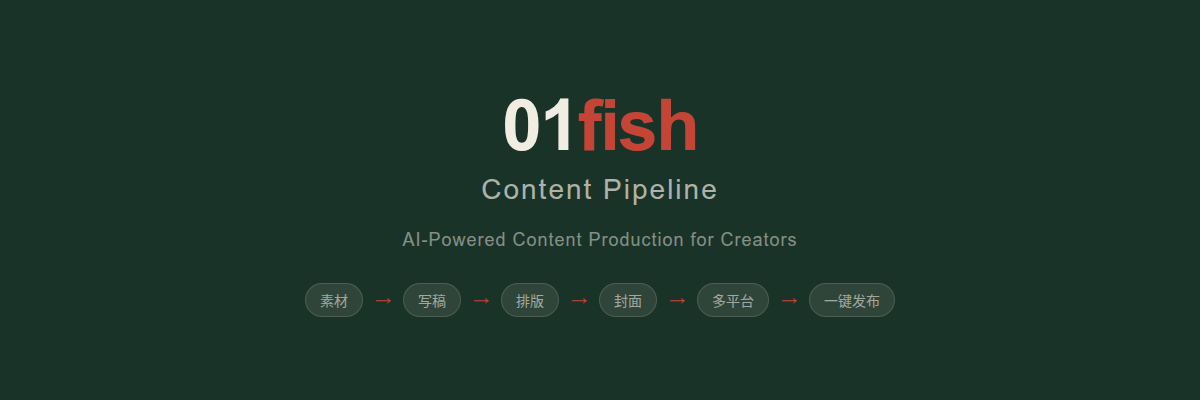
装上这个 Skill,你的 Claude Code 就变成了内容生产线。
One Skill turns Claude Code into a full content production pipeline.






⚡ 它是什么
一个 Claude Code 的 Skill 文件。装上之后,你对 Claude Code 说"出稿"、"排版"、"做头图"、"一键发布"这些话,它就知道怎么干了。
整条链路:
素材 → 写稿 → 排版 → 封面 → 配图 → 多平台适配 → 一键发布
你主导选题、审稿、定调性,Claude 做调研、出稿、出图、排版、多平台适配。
这套东西我(01fish)自己用了两个多月,跑通了完整的公众号工作流,才拿出来开源。不是 demo,是在用的工具。
📸 先看结果
装上之后你能做什么:
| 说这句话 | Claude Code 会做什么 |
|---|---|
"出稿" | 从你积累的素材,自动写一篇完整文章 |
"排版" | 把 Markdown 转成公众号 HTML,带品牌主题色 |
"做头图" "做配图" | 生成封面图和文章配图,浏览器打开直接下载 PNG |
/xiaohongshu + 微信链接 | 公众号文章 → 8-10 张小红书轮播图 + 发布文案 |
/podcast + 文章 | 生成 15 分钟播客脚本 + AI 语音 + 封面 |
/distribute | 一键发布到公众号草稿箱、小红书、即刻、小宇宙 |
"排版+配图" | 排版 + 头图 + 配图一起搞定 |
"请把头图、配图以及内容,一并同步到草稿箱" | 全套打包推到公众号 |
我自己觉得最好用的是:出稿之后,会自动出封面图、配图,以及一键同步到公众号草稿箱。不需要切换平台去搞图,不用手动插入图片,不用复制粘贴到公众号——一键全部搞定。
📱 各平台成熟度
诚实说一句打磨程度:
| 平台 | 方式 | 成熟度 | 说明 |
|---|---|---|---|
| 🟢 公众号 | API 直推 | 精打磨 | 出稿 + 排版 + 封面 + 配图 + 草稿箱直推,反复迭代过 |
| 🟢 小红书 | Chrome CDP | 精打磨 | 自动生成轮播图 + 文案,真实场景跑过很多次 |
| 🟡 即刻 | Chrome CDP | 可用,待打磨 | 功能做了,能跑,但还没反复迭代 |
| 🟡 小宇宙 | Chrome CDP | 可用,待打磨 | 播客上传 + 节目信息,基本能用 |
| 🟡 抖音 | Chrome CDP | 实验性 | 视频发布,偶尔需要手动补一下 |
| ⚪ 视频号 | — | 待开发 | 规划中 |
"精打磨"= 我自己反复用了很多次,踩过坑、调过参数、迭代过 prompt,输出质量比较满意。
"可用,待打磨"= 功能做了,能跑,但还没在真实场景里反复迭代。
🚀 安装(3 分钟)
前提
你已经装好了 Claude Code。没装的话先装。
方法一:一句话安装(推荐)
打开 Claude Code,直接说:
请安装这个 skill 并引导我如何使用
GitHub 地址:https://github.com/OrangeViolin/content-pipeline
Claude Code 会自己 clone、配置、告诉你怎么用。
方法二:手动安装
# 1. 克隆到技能目录
git clone https://github.com/OrangeViolin/content-pipeline.git ~/.claude/skills/content-pipeline

# 2. 创建私有配置目录(不会上传 GitHub)
mkdir -p ~/.claude/skills/content-pipeline/local

# 3. 复制环境变量模板
cp ~/.claude/skills/content-pipeline/.env.example \
   ~/.claude/skills/content-pipeline/local/.env
编辑 local/.env,按需填入:
# 公众号 API(想用一键推草稿箱就填)
WECHAT_APPID=your_appid
WECHAT_APPSECRET=your_secret

# 播客语音生成(IndexTTS2,本地运行,可选)
INDEXTTS_DIR=~/index-tts
VOICE_REF=/path/to/voice_ref.wav
不填也能用——出稿、排版、做图这些核心功能不需要任何 API 密钥。只有"推草稿箱"和"AI 语音"需要配置。
换成你自己的品牌
默认是 01fish 品牌色(墨绿 + 鱼红 + 宣纸底)。换成你的品牌很简单——直接跟 Claude Code 说"把品牌色改成 XX",它会帮你改。
📖 实际工作流:我是怎么用的
工具解决的是效率问题,不是方向问题。在用之前,最重要的还是想清楚你的公众号给谁看、写什么。
下面是我实际在用的公众号工作流,每一步都是真实操作。
第一步:素材收集
好文章不是坐下来硬想出来的,是做事过程中自然攒出来的。两个关键技巧:
技巧一:知识管理
把一个项目的所有相关文件汇总到一个文件夹里。每次写文章,把文件夹路径给 Claude Code,它就有了完整的上下文。
很多人用 AI 写东西,直接甩一句话让它写,给的上下文太少,写出来自然泛泛而谈。"把材料整理好再开工",听起来简单,但这是出稿质量的决定性因素。
技巧二:对话记录就是素材
做完一个项目之后,跟 Claude 说:
"这个东西的创造过程,我想写一篇文章。请你分析我做这个项目时所有相关的对话文档,
帮我把细节写下来,输出一个 md 文档,详细展示所有过程。"
Claude 会翻之前的对话记录,把关键节点、决策过程、踩坑细节都梳理出来。这些一手的过程记录,比事后回忆写出来的东西真实得多。
第二步:让 Claude 出稿
素材准备好了,说 "出稿"。Claude 会自动判断内容类型:
| 内容类型 | 使用框架 | 适用场景 |
|---|---|---|
| 教程类 | 六段式教程框架 | 教人安装/使用/配置工具 |
| 说明书类 | 六段式说明书框架 | 开源项目介绍、产品说明 |
| 深度长文 | 四幕式深度框架 | 行业分析、观点输出 |
第三步:你是监工(最重要的一步)
Claude 生成的初稿,绝对不能直接发。
不是因为 Claude 写得差,而是它有几个改不掉的毛病——容易过度总结、段落偏长、有时候会说正确的废话。
你的角色是流水线上的监工,重点审三件事:
- 标题 — 准不准确?有没有夸大?能不能 10 秒内让读者判断值不值得看?
- 文章结构 — 逻辑通不通?信息密度够不够?有没有废话段落?
- 阐述的清晰度 — 每个概念是否用人话解释了?读者能不能看懂并照着做?
审完让 Claude 改,把具体修改要求写下来。通常 2-3 轮就能到发布标准。
💡 小技巧:写文章请用 Opus。有一次用 Sonnet 来回改了 3 个小时写不出满意的东西,换 Opus,30 分钟搞定。写文章是需要"理解力"的任务,Sonnet 和 Opus 在这件事上有明显差距。日常跑脚本、调配置用 Sonnet 够了,写文章一律切 Opus。
第四步:排版 + 头图 + 配图
文章定稿后,说 "排版+配图",Claude 会:
- 把 Markdown 转成公众号 HTML(带品牌主题色)
- 生成头图和配图 HTML,浏览器打开下载 PNG
这一步基本全自动,偶尔微调一下头图上的文案。
第五步:发布
说 "/distribute" 或 "请把头图、配图以及内容,一并同步到草稿箱"。
⚠️ 有时候只同步了内容但没同步配图。遇到这种情况,再加一句"请把头图、配图以及内容,一并同步到草稿箱"就行。
🔄 两条路径
Path A:日常素材积累 → 出稿
做事过程中积累素材 → 说"出稿" → AI 写文章 → 你审稿改 2-3 轮 → 排版 → 封面 → 发布
Claude Code 在对话中会自动识别"有料时刻"(踩坑翻车、意外发现、突破、搞笑)并记录。攒够了说一句"出稿",一键生成完整文章。
Path B:微信文章 → 多平台内容
微信链接 → 自动抓取 → 生成小红书 / 即刻 / 播客 / 视频 → 一键发布
一篇公众号文章,自动转为多种平台内容:
- 小红书 — 8-10 张轮播图 HTML + 发布文案 + 标签
- 即刻 — 动态文案 + 圈子标签
- 播客 — 15 分钟脚本 + AI 语音 + 封面
- manifest.json — 供
/distribute一键发布
🎙️ 播客引擎
从文字到成品音频,一条龙:
| 模式 | 触发词 | 时长 | 风格 |
|---|---|---|---|
| 标准 | 转播客 | 5-8 分钟 | AI 搭档聊天 |
| 百家讲坛 | /podcast | 15 分钟 | 讲书人,抑扬顿挫 |
| 史记罗生门 | /shiji | 15 分钟 | AI 侦探 × 史源追踪 |
语音基于 IndexTTS2(MIT 协议),2-10 秒参考音频即可克隆声音。完全本地运行,免费,离线可用。
📂 项目结构
content-pipeline/
├── SKILL.md                       # 核心——Claude Code 读这个文件来理解怎么干活
├── README.md                      # 你正在看的文件
├── .env.example                   # 环境变量模板
│
├── local/                         # 🔒 你的私有配置(不会上传 GitHub)
│   ├── SKILL.local.md             #    个人设定(微信号、品牌色、输出路径)
│   └── .env                       #    API 密钥
│
├── references/                    # 📚 模板和规范(Claude 按需读取)
│   ├── writing-style.md           #    写作风格指南(从真实文章逆向工程)
│   ├── tutorial-framework.md      #    教程类文章框架
│   ├── manual-framework.md        #    说明书类文章框架
│   ├── cover-template.md          #    封面图 + 配图设计规范
│   ├── xiaohongshu-format.md      #    小红书轮播图 HTML 模板
│   ├── platform-copy.md           #    各平台文案规范
│   ├── xiaoyuzhou-podcast.md      #    播客脚本规范(百家讲坛风格)
│   ├── tts-config.md              #    AI 语音配置
│   ├── distribute-platforms.md    #    分发平台配置
│   └── ...                        #    更多模板
│
└── scripts/                       # ⚙️ 自动化脚本
    ├── fetch_wechat_article.py    #    微信文章抓取
    └── distribute/                #    多平台分发引擎
        ├── distribute.ts          #       编排器
        ├── wechat-api.ts          #       公众号 API
        └── platforms/             #       各平台发布模块
关键文件就一个:
SKILL.md。这是 Claude Code 的"说明书",定义了所有触发词、工作流、规范。你想改行为,改这个文件就行。
🔒 隐私安全
所有敏感信息通过 local/ 目录隔离,永不上传 GitHub:
| 内容 | 位置 | 保护方式 |
|---|---|---|
| API 密钥 | local/.env | .gitignore |
| 个人信息(微信号等) | local/SKILL.local.md | .gitignore |
| Token 缓存 | token-cache.json | .gitignore |
references/ 中的模板使用占位符,不含任何实际密钥。
🤝 核心原则:全然诚实
AI 生成的内容必须诚实标注,不装人类。
✅ 调研 & 撰写:AI(Claude Opus 4.6)
✅ 主导 & 审校:你的名字
✅ 素材收集 5 分钟,写作 3 分钟

❌ "我们花了两周时间调研"
❌ "经过深入访谈"
AI 快速高质量创作本身就是价值,不需要掩饰。诚实是长期个人品牌的基石。
🗺️ 路线图
- 公众号写稿 + 排版(说明书 / 教程 / 深度长文三种框架)
- 封面图 + 配图生成(头图 / 配图 / 竖版封面)
- 微信 → 小红书轮播图(8-10 张卡片 + 发布文案)
- 微信 → 即刻文案
- 播客全流程(脚本 + AI 语音克隆 + 封面)
- 录屏画布(网页演示 + 摄像头 + 提词器)
- 多平台一键分发(Chrome CDP + WeChat API)
- 视频号发布
- 更多 TTS 引擎
- Web UI 管理面板
我会持续迭代这个 Skill,更新后同步推到 GitHub。
❓ 常见问题
Q: 不填任何 API 密钥能用吗?
能。出稿、排版、做图、生成小红书轮播图这些核心功能都不需要密钥。只有"推公众号草稿箱"需要微信 API,"AI 语音"需要本地 IndexTTS2。
Q: 我能用自己的品牌色吗?
能。直接跟 Claude Code 说"把品牌色改成 XX",或者手动改 references/ 里的模板。
Q: 同步到草稿箱时配图丢了?
已知问题,偶尔会出现。再说一句"请把头图、配图以及内容,一并同步到草稿箱"就行。
Q: 用 Sonnet 还是 Opus?
日常跑脚本、调配置用 Sonnet。写文章、做内容一律切 Opus——理解力差距明显。
📄 许可
MIT License — 自由使用,自由修改,自由分发。
有问题欢迎提 Issue,也欢迎 PR。
📈 Star History
01fish · 用 AI 做自媒体,诚实地。