kooky





A minimal modern terminal for AI coding.
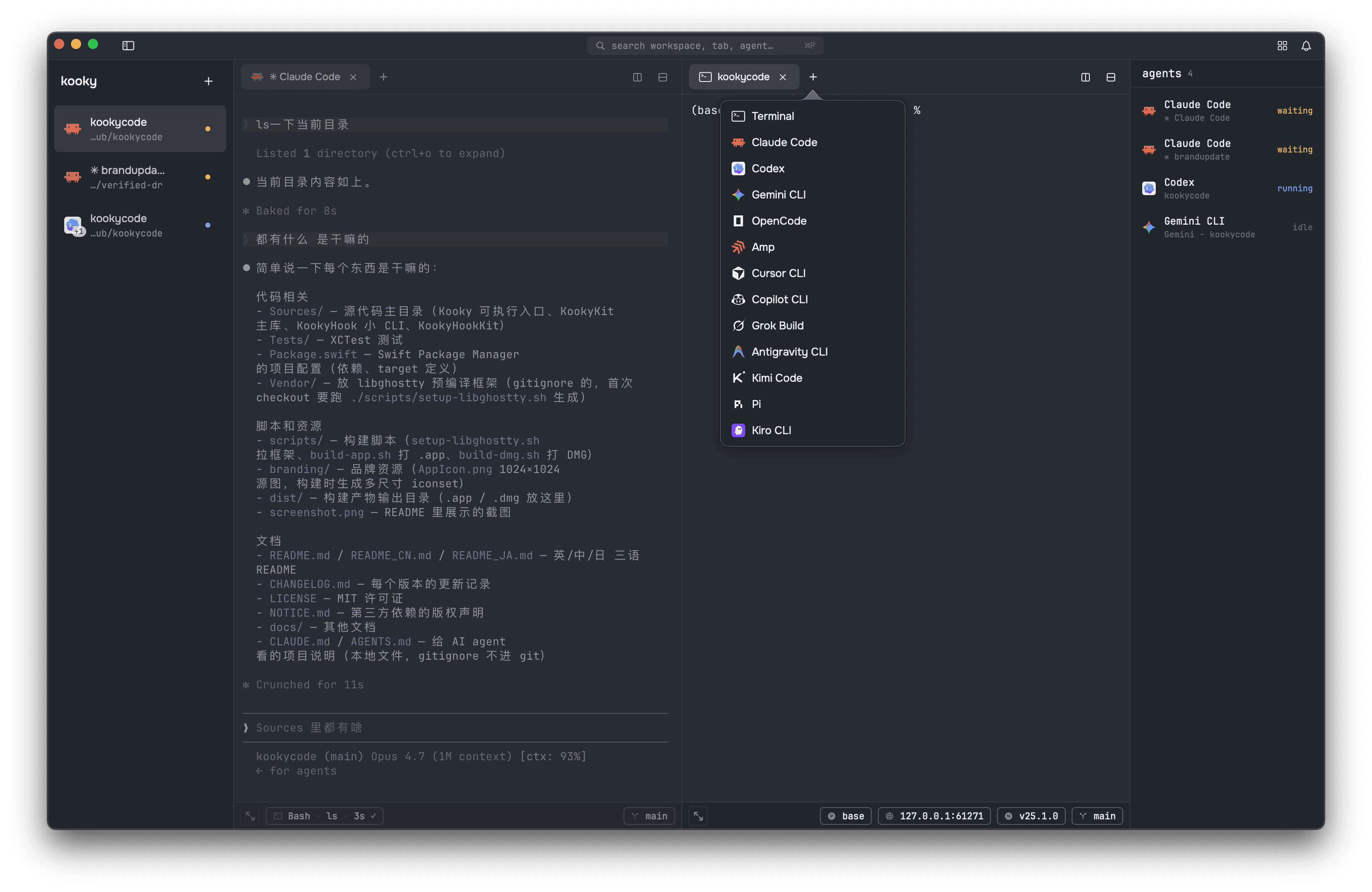
A minimal modern terminal built for AI coding. Sidebar workspaces; horizontal / vertical split panes; one-click agent launch; per-agent activity readout; live workspace state with one-click Node and branch switching. Open-source, MIT-licensed. No accounts, no telemetry; app state stays local. GPU rendering via libghostty.
Features
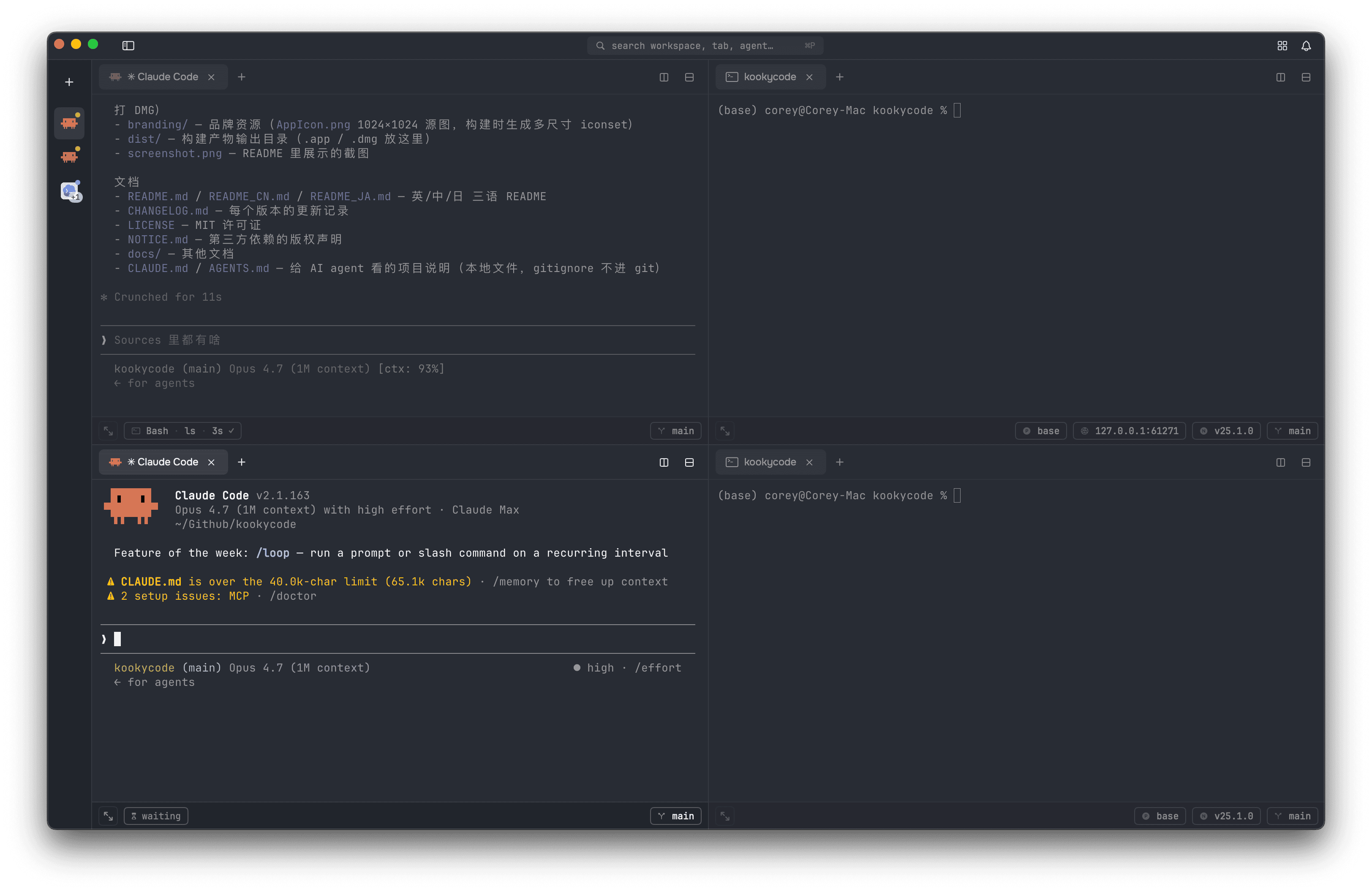
Vertical tabs, split panes & windows. Sidebar workspaces with three-state collapse (⌘⌃S); drag the sidebar's right edge to widen it, and the width sticks per window. Each pane owns its own tab strip and active tab; split it right or down from the two buttons on its tab bar, or with ⌘D / ⌘⇧D. Rename a tab with ⌘R, a workspace with ⌘⇧R. ⌘⇧N opens another window. Drag a tab to reorder it, move it across panes, or drop it into a different window — the live session moves whole, scrollback and running process intact. State persists across launches; every open window is restored. Open any folder as a new workspace: drop it onto the sidebar from Finder, or use ⌘O. Press ⌘⇧E to zoom the active pane to fullscreen and back — the other panes slide off-screen but their processes keep running.
Tell your workspaces apart. Right-click a workspace and give it a colour — seven presets, or Custom Tag… for your own colour plus a name. It shows as a stripe down the left edge of the row, in both sidebar widths, and clicking the colour it already has clears it. Tags carry into the agent panel too, so every agent in one project reads as a group in a list otherwise sorted by who needs you first (switch that off under Settings → Appearance). Hovering a workspace shows its title, any #tag, which agents are running, and where it lives.
One-click AI agent sessions. Pick one from the + menu; the agent boots before your first prompt prints. All fifteen resume their conversation across kooky restarts using each CLI's exact session ID, so closing and reopening a tab picks up where you left off.
Agent Command Waiting dot Tool pill Session history
Claude Code
claude
✓
✓
✓
Codex
codex
✓
✗
✓
Gemini CLI
gemini
✓
✗
✓
OpenCode
opencode
✓
✗
✓
Amp
amp
✓
✗
✗
Cursor CLI
cursor-agent
✓
✗
✓
Copilot CLI
copilot
✓
✗
✓
Grok Build
grok
✗
✗
✓
Antigravity CLI
agy
✓
✗
✗
Kimi Code
kimi
✓
✗
✓
Pi
pi
✓
✓
✓
Oh My Pi (new)
omp
✓
✓
✓
Reasonix (new)
reasonix
✓
✓
✓
Kiro CLI
kiro-cli
✗
✗
✓
Droid
droid
✓
✗
✓
Waiting dot turns amber the moment the agent stops and needs an answer, including a pending tool approval; Grok Build and Kiro CLI expose no such signal, so their dot only reports running and finished. Tool pill shows the tool running right now in the pane status bar. Session history marks the agents whose past conversations can be browsed and resumed from the agent panel's history page — see below. Hide any agent you don't use under Settings → Agents.
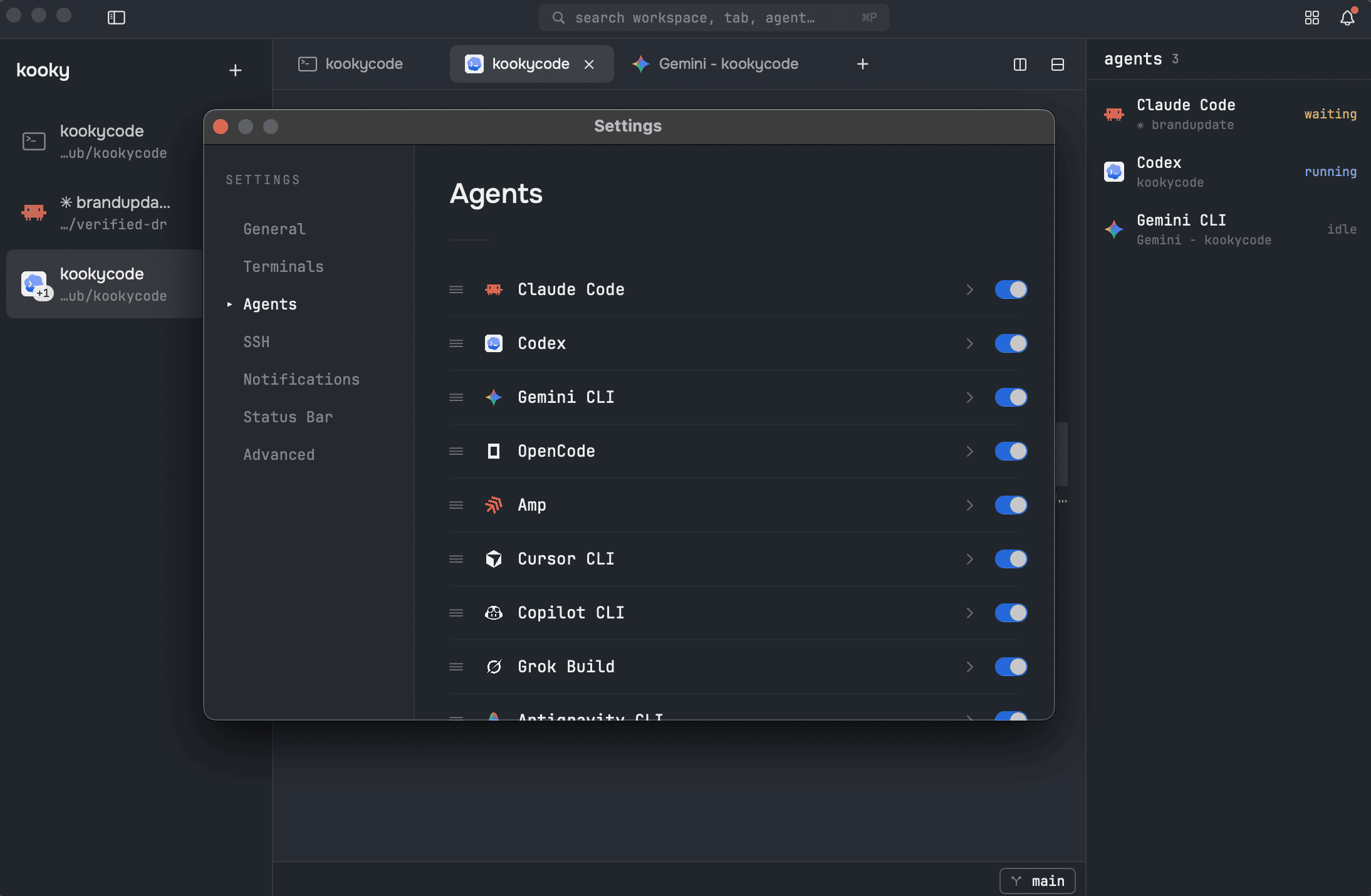
Bring your own agent. Not on that list? Add it in Settings → Agents: a name and a command is enough to put it in the + menu and launch it like any other tab. Base it on a built-in agent and it also inherits that agent's launch binary, brand mark, and activity tracking — the sidebar dot is reported by the built-in's wrapper, so a standalone command runs fine but stays dark. Either way you can upload your own logo (PNG, JPEG, or SVG; 64×64 recommended), and it shows up on tabs, the sidebar, the agent panel, and Quick Open. Claude-based entries can carry their own environment variables, so a mirror or proxy endpoint becomes a real agent instead of a shell alias.
Git worktrees. Right-click any git workspace → "Create Worktree…" to spin one up on a new branch (or check out an existing one). Each worktree shows up nested under its source repo in the sidebar with its own tabs + agent — let Claude work on a feature branch without touching what's running on main. To bring in a worktree you created from the command line, use the same sheet's adopt mode; sidebar entries whose directory is gone get cleaned up at launch.
SSH workspaces. File → New SSH Workspace… (or ⌘P) creates a workspace that lives on a remote machine: every new tab, split, and restored tab reconnects to the same host on its own. Agent tabs start their agent on the remote — with the remote's own shell setup loaded, so tools installed through nvm and friends are found. Paste a local file or screenshot and kooky uploads it first, then pastes a path the remote agent can actually open. Connections to the same host are shared: extra tabs attach instantly, and password-authenticated hosts work throughout, pasting included.
Keep-awake. Your Mac won't fall asleep under a working agent. A breathing status light in the top bar cycles three notches: Off; Auto — awake while an agent works or an SSH session is live, lid closed included (one-time admin authorization), asleep again the moment the work ends; and Always — a caffeinate you can see, awake until you switch it down. Flip sleep-disable anywhere else (sudo pmset, another tool) and the dial follows within seconds, in both directions.
Recent projects. kooky remembers every folder you open a workspace on — no setup, no manual adding. Reopen one from File → Open Recent, or press ⌘P and type the project's name: closed projects show up as "recent" entries and reopen with a single Enter. Deleted folders hide automatically, and worktree / SSH directories never clutter the list.
Right-click a selection → "Ask ". Select an error / log line / file path, right-click, pick any agent — a new tab spawns with the selection already submitted as the first prompt. Zero ⌘C / ⌘V to go from "what is this" to an actual answer.
Quick Open (⌘P). Fuzzy-search across every window's workspaces, tabs, agents, Terminal presets, and recent project folders from one floating panel. Type to filter, ↑↓ to navigate, Enter to jump or spawn. Triggers from ⌘P or the search pill in the top chrome.
Sidebar file tree. A toggle at the bottom of the sidebar swaps the workspace list for a file tree of the active workspace's folder. Expand directories, double-click to open a file, right-click for Reveal in Finder / Copy Path / Insert Path into Terminal (file rows also get Open) — or just drag a file or folder straight into the terminal to insert its escaped path, same as a Finder drag. Changed files show their +X −Y line counts (the same numbers the status bar totals), and a collapsed folder rolls up its subtree's changes. The tree follows the active tab's directory (worktree workspaces stay pinned to their worktree folder) and refreshes live as files change on disk.
Friction-free input. Selecting text copies it to the clipboard the moment you release the mouse — no ⌘C needed, on every machine regardless of your Ghostty config (turn it off under Settings → General → Clipboard). Hold ⌘ and click a local file path such as /path/file.swift:42 to open it in your preferred editor; web links can use a preferred browser (Settings → General → Open With). Hold ⌘ over any URL — or an OSC 8 hyperlink — and a badge reveals the full target before you click. Middle-click pastes. Click anywhere on the zsh prompt to move the shell cursor there (no modifier needed, same UX as ghostty.app). Drag a file or folder from Finder onto any pane to drop its escaped absolute path at the cursor. Prefer Option as Alt/Meta for zellij or Emacs bindings? Set macos-option-as-alt (true / "left" / "right") in settings.json — unset keeps macOS-native special characters. With splits open, focus-follows-mouse moves keyboard focus to the pane under the pointer, and mouse-hide-while-typing hides the cursor while you type.
Clipboard & input security. Pasting text that could run commands the moment it lands — multi-line content outside bracketed-paste framing — shows a confirmation with a content preview first, so a booby-trapped curl … | sh copied from a webpage can't execute on ⌘V. Remote programs reading your clipboard over OSC 52 (tmux, nvim over SSH) need your approval first, and clipboard-write = ask guards writes the same way. While you type a sudo or ssh password, kooky holds macOS secure keyboard input so other processes can't monitor keystrokes.
Prompt composer (⌘L). A chat-style box rises from the bottom of the pane for writing a long, multi-line prompt without a stray Return firing it off mid-thought. Return sends it to the current agent (or shell), Shift+Return adds a newline, Esc cancels and keeps your draft. Open it with ⌘L or the compose button in the pane status bar.
Agent activity readout. Sidebar dot tracks each agent in real time — running (blue), waiting on you (amber), idle (none). T