Claude Container
A Docker container with Claude Code pre-installed and ready to use.
This container includes all necessary dependencies and provides an easy way to run Claude Code in an isolated environment.
An optional proxy can be enabled to track all the requests made by Claude Code in a local SQLite database.
Available Images
Three Docker images are available on Docker Hub, all released with matching version tags:
| Image | Purpose | Base |
|---|---|---|
| nezhar/claude-container | Main container with Claude Code CLI pre-installed | Node.js 22 Alpine |
| nezhar/claude-proxy | Optional HTTP proxy that logs all API requests to SQLite | Python 3.12 Alpine |
| nezhar/claude-datasette | Optional web UI for visualizing and querying logged requests | Datasette + plugins |
Architecture Overview
When using all three images together, the request flow looks like this:
┌─────────────────┐      ┌──────────────────┐      ┌─────────────────────┐
│ claude-container│─────▶│  claude-proxy    │─────▶│  api.anthropic.com  │
│  (Claude Code)  │      │   (HTTP Proxy)   │      │   (Anthropic API)   │
└─────────────────┘      └────────┬─────────┘      └─────────────────────┘
                                  │
                                  ▼
                         ┌─────────────────┐
                         │  requests.db    │
                         │   (SQLite)      │
                         └────────┬────────┘
                                  │
                                  ▼
                         ┌─────────────────┐
                         │claude-datasette │
                         │   (Web UI)      │
                         └─────────────────┘
                         http://localhost:8001
Standalone Usage:
- Use claude-container alone for basic Claude Code functionality
- Add claude-proxy when you need API request logging
- Add claude-datasette when you want to visualize and analyze logs
Compatibility Matrix
Latest Release: 1.6.12 (Claude Code 2.1.69)
| Container Version | Claude Code Version |
|---|---|
| 1.0.x | 1.0.x |
| 1.1.x | 2.0.x |
| 1.2.x | 2.0.x |
| 1.3.x | 2.0.x |
| 1.4.x | 2.0.x |
| 1.5.x | 2.1.x |
| 1.6.x | 2.1.x |
Quick Start
Using the Helper Script (Recommended)
The easiest way to run Claude Container is using the provided bash script. Download and install it with:
# Download the script directly from GitHub
curl -o ~/.local/bin/claude-container https://raw.githubusercontent.com/nezhar/claude-container/main/bin/claude-container

# Make it executable
chmod +x ~/.local/bin/claude-container

# Run Claude Code
claude-container
Make sure ~/.local/bin is in your PATH. Alternatively, install to /usr/local/bin:
# Download and install system-wide (requires sudo)
sudo curl -o /usr/local/bin/claude-container https://raw.githubusercontent.com/nezhar/claude-container/main/bin/claude-container
sudo chmod +x /usr/local/bin/claude-container
The script handles all Docker configuration automatically and supports additional features like API logging. Run with --help to see all available options:
claude-container --help
Optional: Enable Tab Completion
To enable bash tab completion for the claude-container command:
# Download and install completion script
mkdir -p ~/.local/share/bash-completion/completions
curl -o ~/.local/share/bash-completion/completions/claude-container https://raw.githubusercontent.com/nezhar/claude-container/main/completions/claude-container

# Reload your shell or start a new terminal session
source ~/.bashrc
Once installed, you can use tab completion with claude-container --<TAB> to see all available options
Updating to the Latest Version
To update to the latest version, simply re-download the helper script and completions:
# Update helper script (user install)
curl -o ~/.local/bin/claude-container https://raw.githubusercontent.com/nezhar/claude-container/main/bin/claude-container

# Or for system-wide install
sudo curl -o /usr/local/bin/claude-container https://raw.githubusercontent.com/nezhar/claude-container/main/bin/claude-container

# Update completions (if installed)
curl -o ~/.local/share/bash-completion/completions/claude-container https://raw.githubusercontent.com/nezhar/claude-container/main/completions/claude-container

# Verify the new version
claude-container --version
The helper script will automatically pull the latest Docker images when needed.
Using Docker Compose
Create a compose.yml file as provided in the example folder.
docker compose run claude-code claude
You will need to login for the first time, afterwards your credentials and configurations will be stored inside a bind mount volume, make sure this stays in your .gitignore.
Using Docker directly
docker run --rm -it -v "$(pwd):/workspace" -v "$HOME/.config/claude-container:/claude" -e "CLAUDE_CONFIG_DIR=/claude" nezhar/claude-container:latest claude
This will store the credentials in $HOME/.config/claude-container and will be able to reuse them after the first login.
How does the authentication work
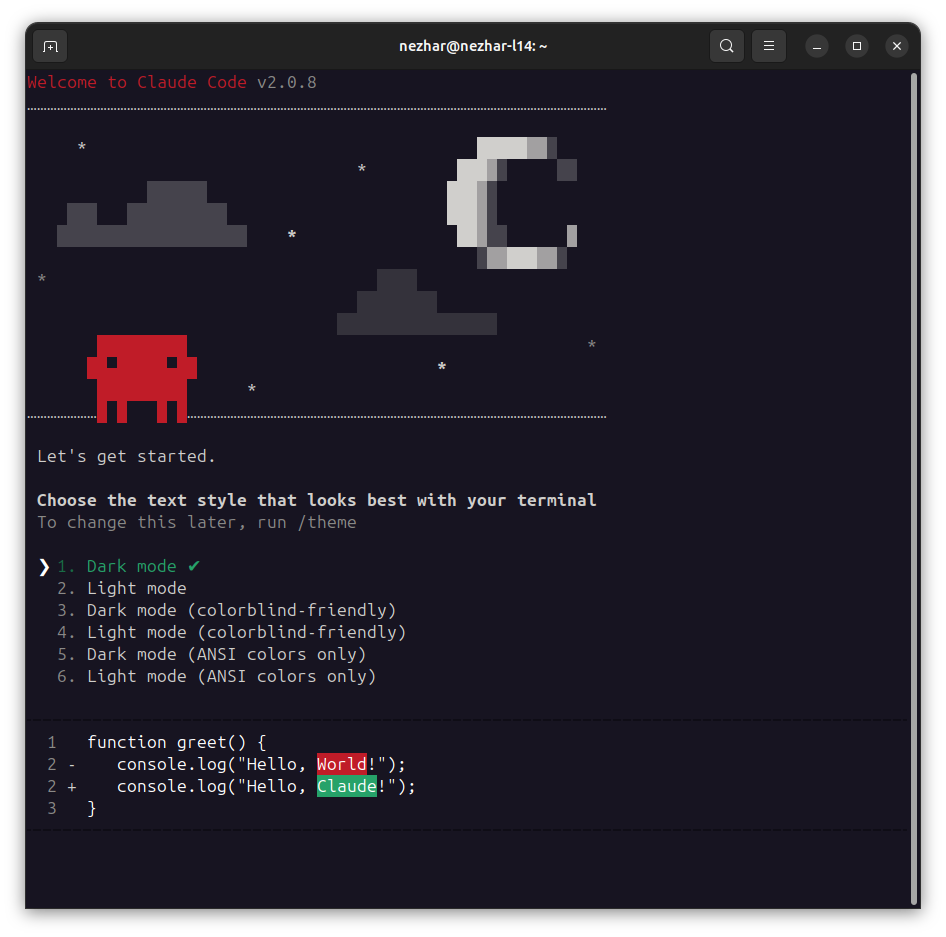
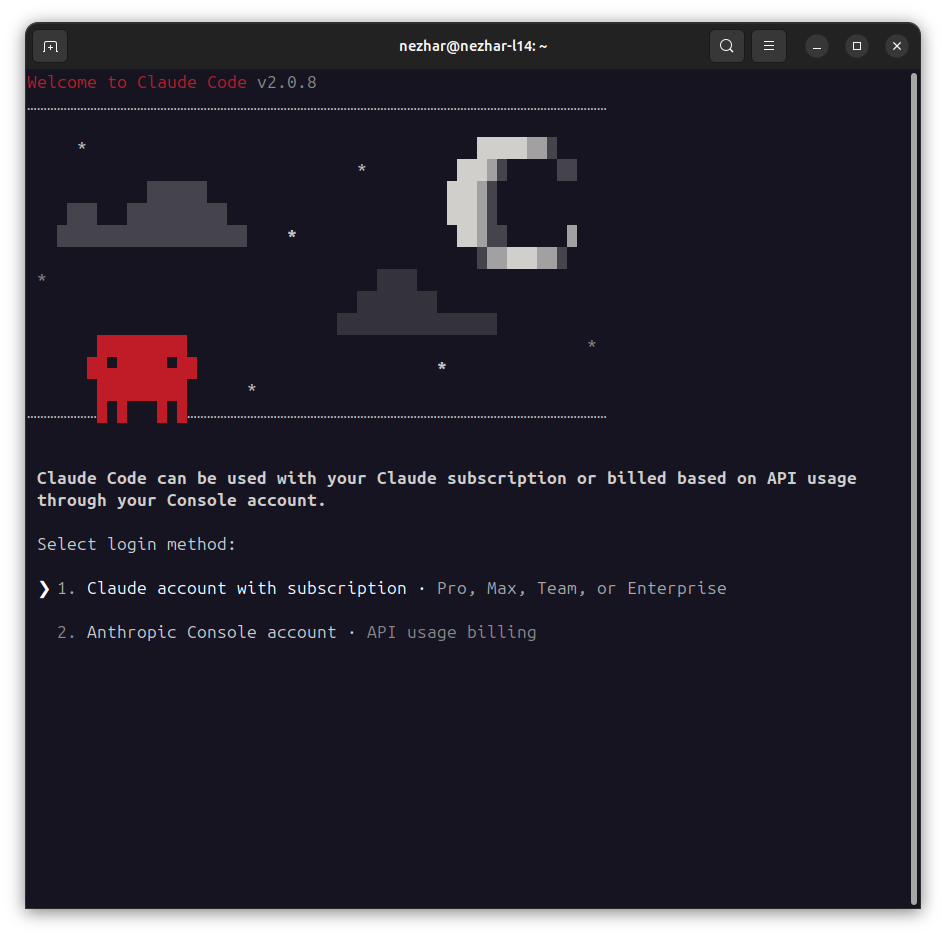
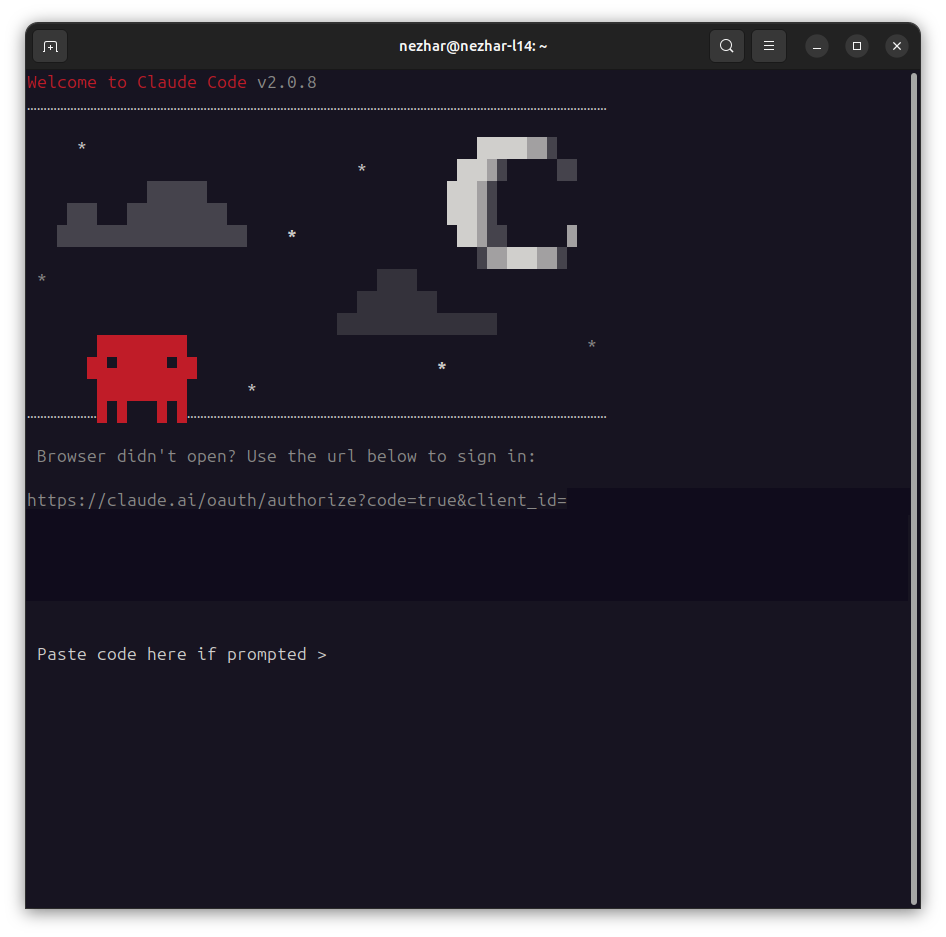
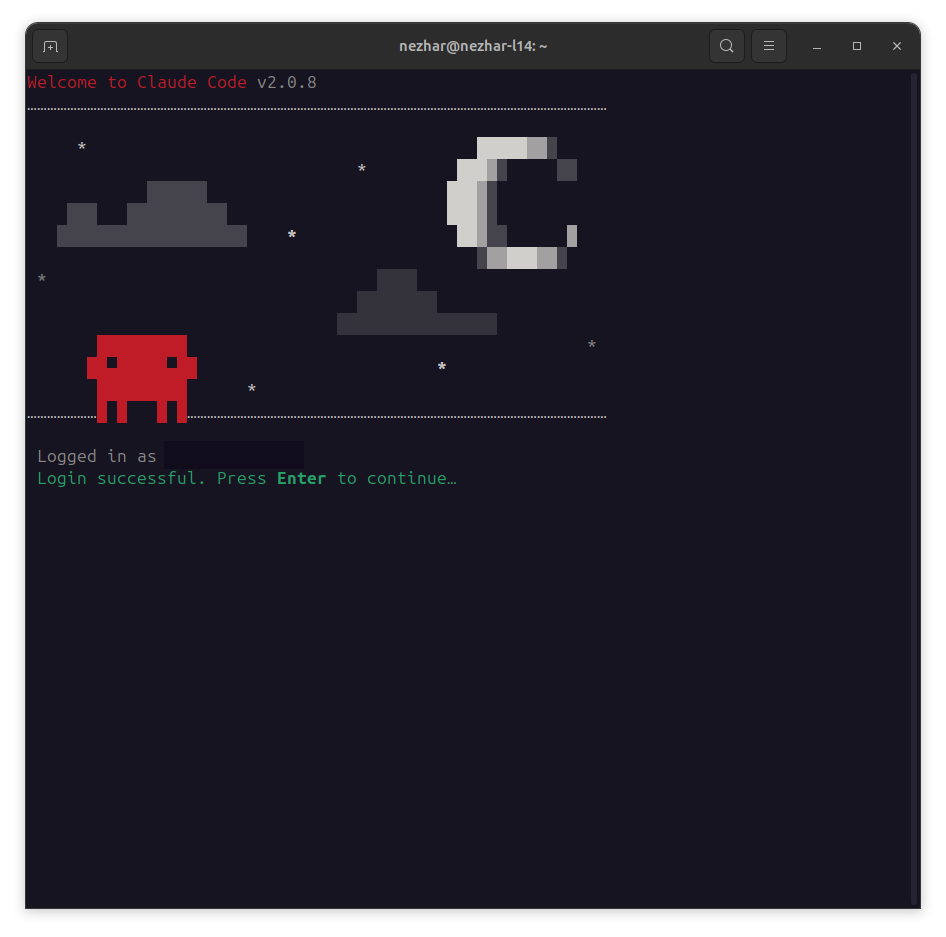
When you run the container for the first time, you'll go through the following authentication steps:
-
Choose Color Schema: Select your preferred terminal color scheme
-
Select Login Method: Choose between Subscription or Console login (this example uses Subscription)
-
Generate Token: Open the provided URL in your browser to generate an authentication token, then paste it into the prompt
-
Success: You're authenticated and ready to use Claude Code
Integration with Existing Projects
To integrate Claude Container into an existing Docker Compose project, create a compose.override.yml file:
services:
  claude-code:
    image: nezhar/claude-container:latest
    volumes:
      - ./workspace:/workspace
      - ./claude-config:/claude
    environment:
      CLAUDE_CONFIG_DIR: /claude
    profiles:
      - tools
Then run Claude Code with:
# Using profiles to avoid starting by default
docker compose --profile tools run claude-code claude
This approach keeps Claude Code separate from your main application services while allowing easy access when needed.
API Request Logging Proxy
This repository includes an optional logging proxy that captures all Anthropic API requests and responses to a SQLite database. This is useful for:
- Debugging API interactions
- Monitoring token usage and costs
- Analyzing request/response patterns
- Building custom analytics tools
Running with Docker
Run Claude Container directly:
docker run --rm -it \
  -v "$(pwd):/workspace" \
  -v "$HOME/.config/claude-container:/claude" \
  -e "CLAUDE_CONFIG_DIR=/claude" \
  nezhar/claude-container:latest claude
Run with logging proxy:
# 1. Create a Docker network
docker network create claude-network

# 2. Start the proxy container
docker run -d --name claude-proxy \
  --network claude-network \
  -v "$(pwd)/proxy-data:/data" \
  -p 8080:8080 \
  nezhar/claude-proxy:latest

# 3. Run Claude Code (configured to use the proxy)
docker run --rm -it \
  --network claude-network \
  -v "$(pwd):/workspace" \
  -v "$HOME/.config/claude-container:/claude" \
  -e "CLAUDE_CONFIG_DIR=/claude" \
  -e "ANTHROPIC_BASE_URL=http://claude-proxy:8080" \
  nezhar/claude-container:latest claude

# 4. Cleanup when done
docker stop claude-proxy
docker rm claude-proxy
docker network rm claude-network
Proxy Configuration
The proxy supports the following environment variables:
PROXY_PORT: Port to listen on (default:8080)TARGET_API_URL: Target API URL (default:https://api.anthropic.com)DB_PATH: SQLite database path (default:/data/requests.db)
Data Visualization with Datasette
This repository includes a Datasette container for exploring and visualizing the API request logs captured by the proxy. Datasette provides a web-based interface to explore your SQLite database with filtering, sorting, and export capabilities.
Features
- Browse Request Logs: View all API requests with filtering and sorting
- JSON Visualization: Pretty-print JSON request/response bodies
- Analytics: Analyze request patterns, response times, and error rates
- Export Data: Export filtered results to CSV, JSON, or Excel
- SQL Queries: Run custom SQL queries against your data
Running with Datasette
When using Docker Compose, you can add the Datasette service to visualize your proxy data:
services:
  claude-proxy:
    image: nezhar/claude-proxy:latest
    ports:
      - "8080:8080"
    volumes:
      - ./proxy-data:/data

  claude-datasette:
    image: nezhar/claude-datasette:latest
    ports:
      - "8001:8001"
    volumes:
      - ./proxy-data:/data:ro
    depends_on:
      - claude-proxy

  claude-code:
    image: nezhar/claude-container:latest
    volumes:
      - ./workspace:/workspace
      - ./claude-config:/claude
    environment:
      CLAUDE_CONFIG_DIR: /claude
      ANTHROPIC_BASE_URL: http://claude-proxy:8080
    depends_on:
      - claude-proxy
Start the services:
docker compose up -d claude-proxy claude-datasette
docker compose run claude-code claude
Then access Datasette at http://localhost:8001 to explore your API request logs.
Using Datasette
Once Datasette is running:
- View All Requests: Navigate to the
request_logstable to see all captured API requests - Filter Data: Use the faceted filters to narrow down by HTTP method, status code, etc.
- Examine Details: Click on individual requests to see full headers and JSON bodies
- Run Queries: Use the SQL interface to run custom analytics queries
- Export Results: Export filtered data in various formats for further analysis
Example queries you might run:
-- Average response time by endpoint
SELECT path, AVG(duration_ms) as avg_duration, COUNT(*) as request_count
FROM request_logs
GROUP BY path
ORDER BY avg_duration DESC;

-- Requests with errors
SELECT timestamp, method, path, response_status, duration_ms
FROM request_logs
WHERE response_status >= 400
ORDER BY timestamp DESC;

-- Token usage over time (if captured in request_body)
SELECT
  DATE(timestamp) as date,
  SUM(json_extract(response_body, '$.usage.input_tokens')) as input_tokens,
  SUM(json_extract(response_body, '$.usage.output_tokens')) as output_tokens
FROM request_logs
WHERE json_extract(response_body, '$.usage') IS NOT NULL
GROUP BY date
ORDER BY date DESC;