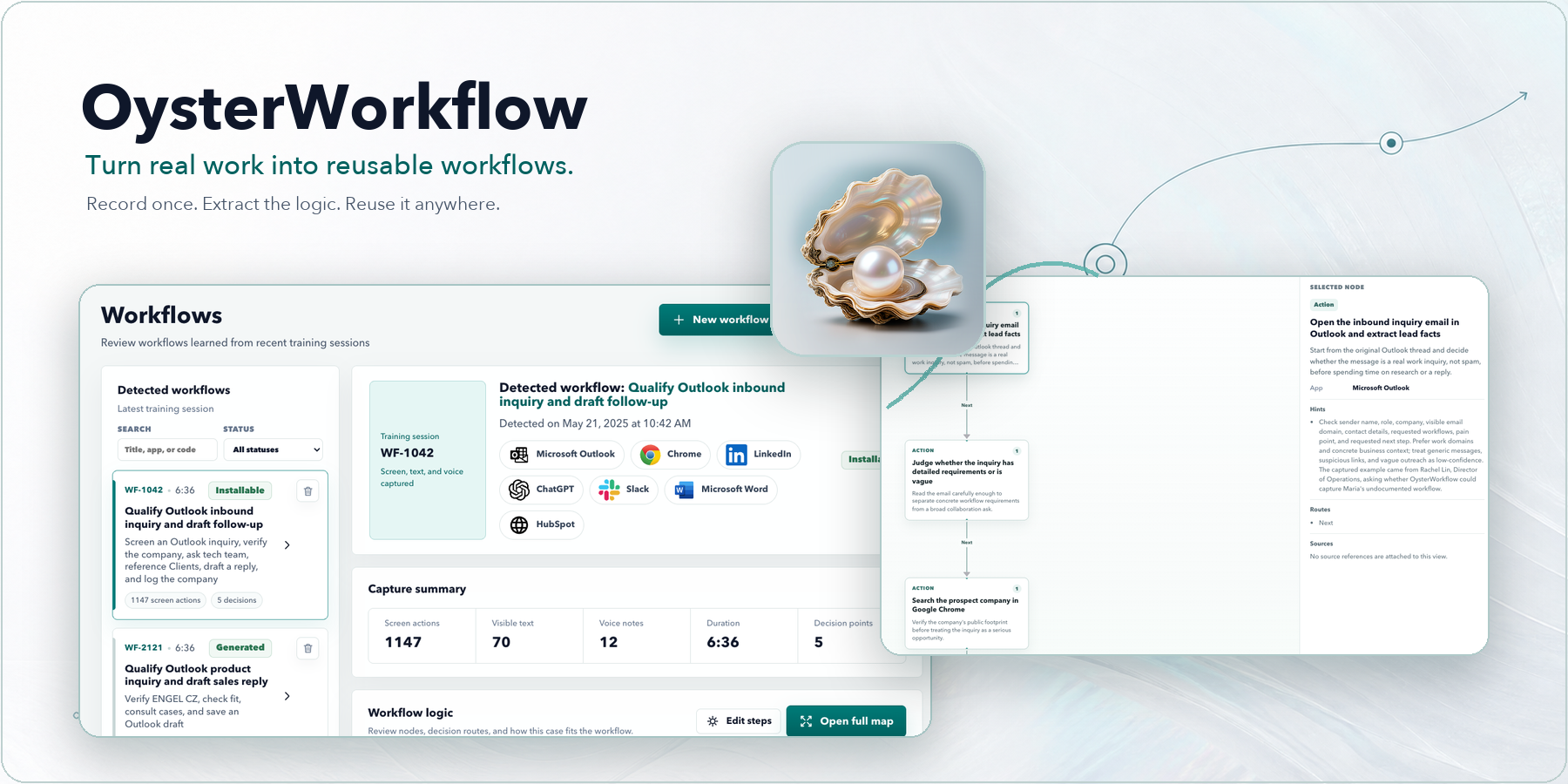
OysterWorkflow
Teach AI how your work actually gets done.
OysterWorkflow is an open-source work-experience layer for your AI agent, as well as a powerful automation tool for your daily work. It runs alongside you, observing on-screen information, mouse clicks, and keyboard input, while also receiving your voice instructions. Oyster use behavioral psychology model to infer your intent and decision-making process, automatically captures your workflows, and generates self-evolving automation harnesses for your agents. Oysterworkflow works with Codex, Claude, and other AI agents.
English | 简体中文 | Official Site | Download | Roadmap | Feedback


Share OysterWorkflow



Powerful AI still needs your workflow and judgment
AI can reason, but it does not automatically know which signal matters, when to branch, how to recover, or what "done" means in your work.
Most real computer work is more than instructions. It is a pattern of noticing, deciding, trying, fixing, verifying, and finishing. OysterWorkflow captures what people observe, how they react, and how they complete the task, then turns that work memory into a reviewable workflow an agent can reuse.
From real work to reusable agent experience
Raw work is messy. OysterWorkflow extracts the pattern.
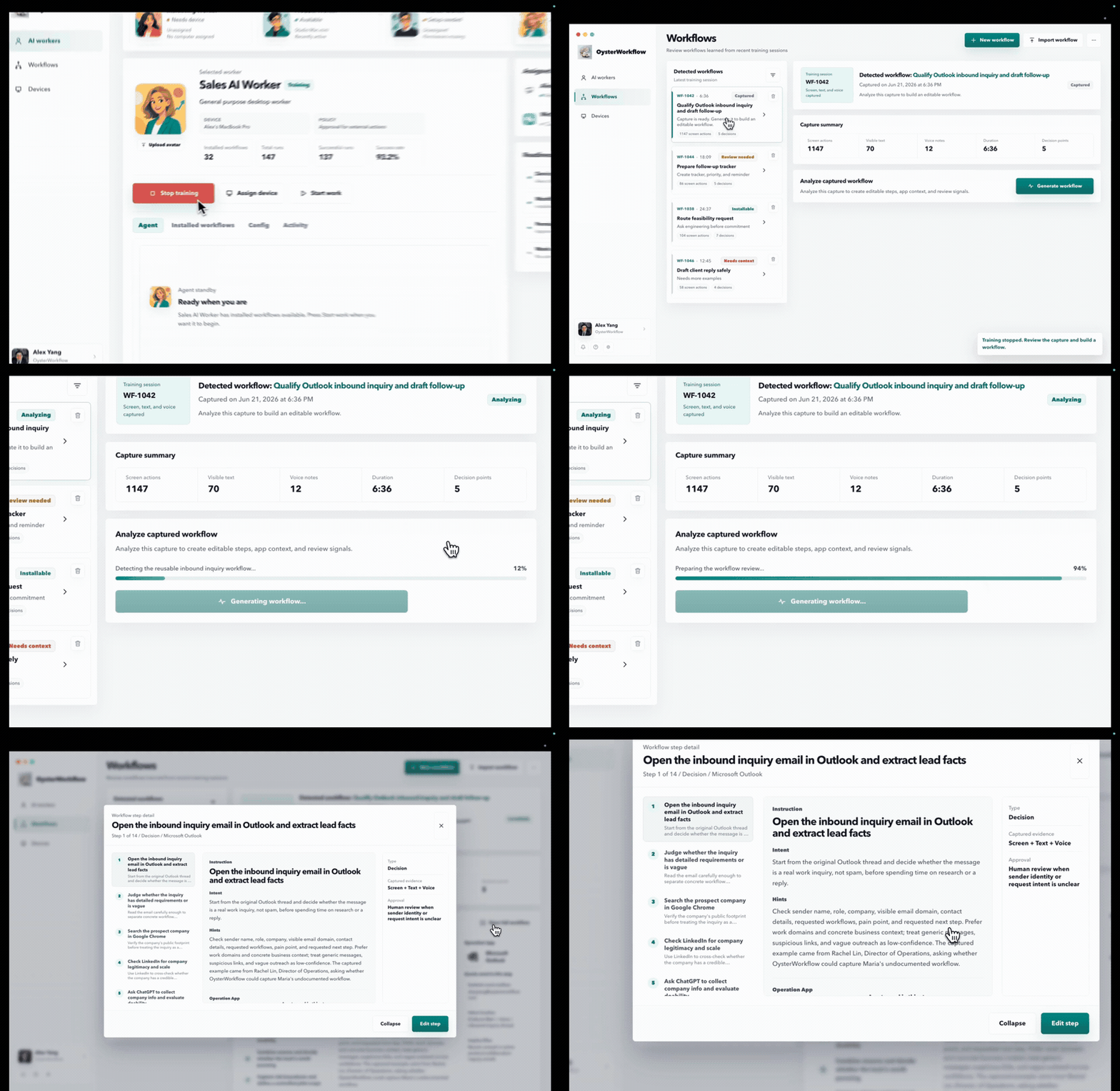
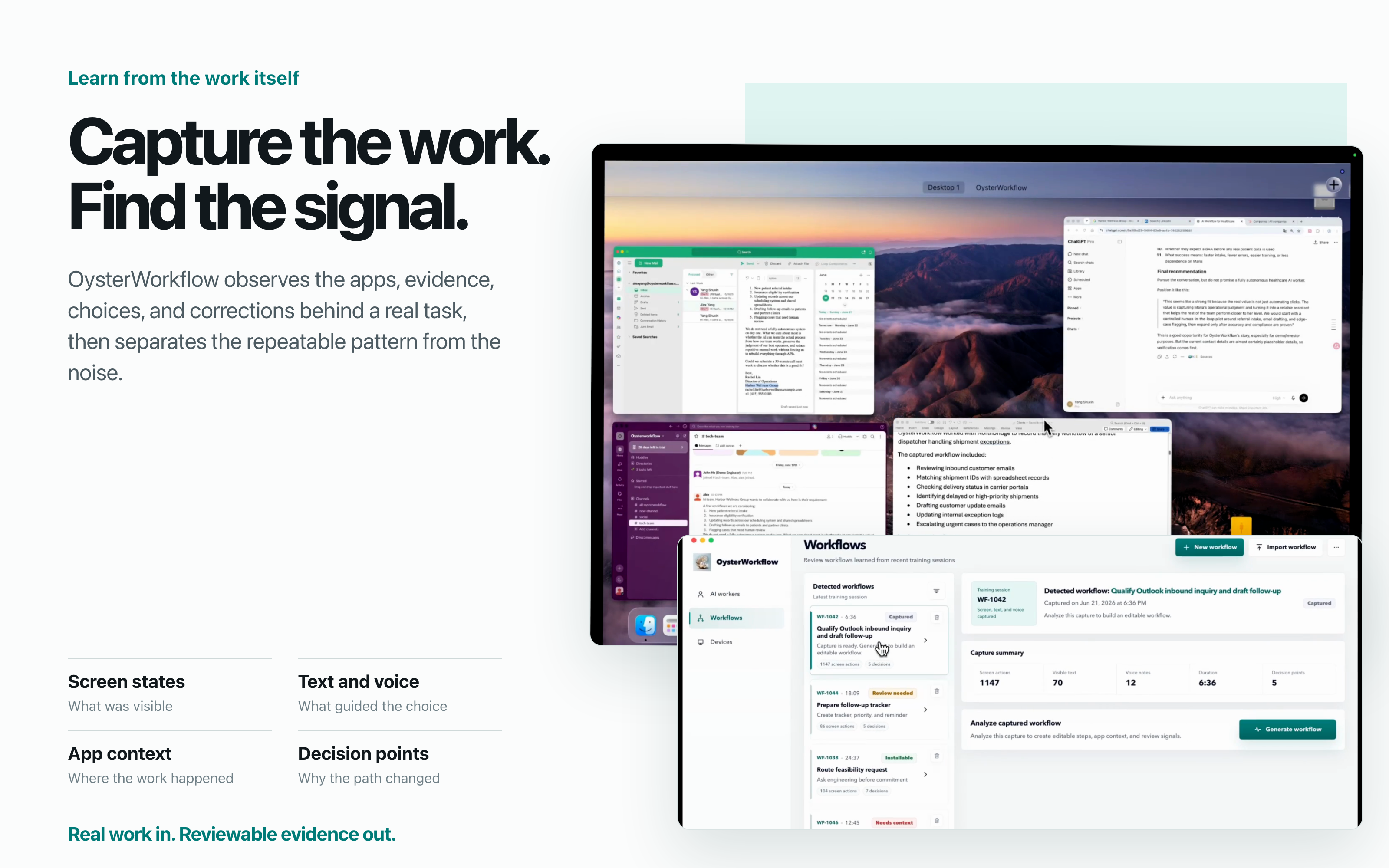
- Capture real work. Record screen states, visible text, mouse and keyboard actions, app context, and optional voice coaching while you work normally.
- Learn the pattern. Extract goals, decision branches, preferences, exceptions, recovery moves, verification checks, and completion conditions.
- Run the workflow. Turn the evidence into a reviewable, revisioned experience layer that Codex or another compatible agent can follow.
Watch real work become reusable agent experience
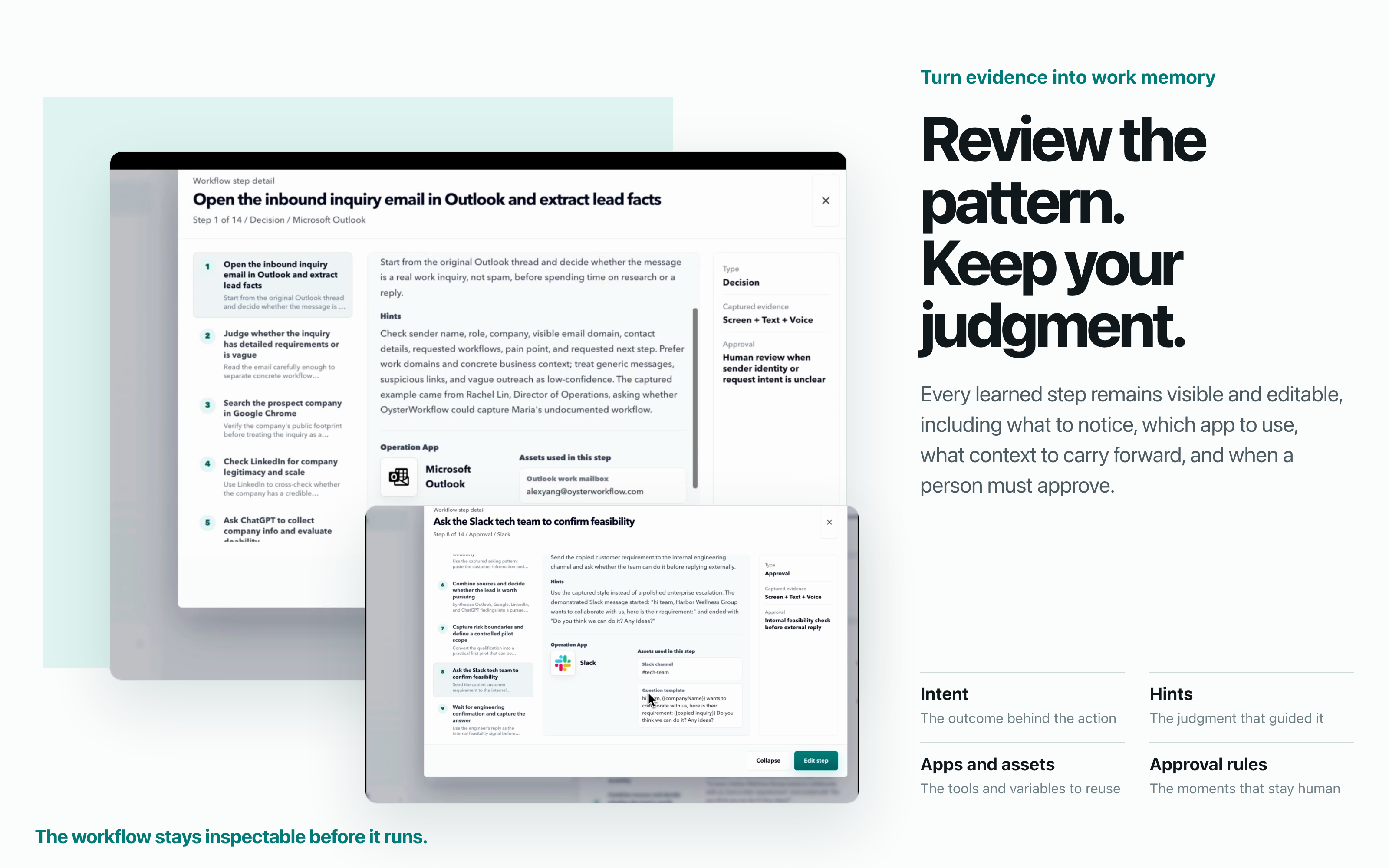
See what OysterWorkflow learns
OysterWorkflow does not learn a macro. It learns what to notice, how to decide, which context to carry forward, and when a person should review the next move.
Run an OysterWorkflow in Codex
The Codex plugin connects Codex to the OysterWorkflow Runtime on the same Mac. OysterWorkflow owns the workflow graph, revision, transitions, retry limits, and durable run state. Codex performs the real actions with the apps and tools installed and authorized in Codex.
You need both OysterWorkflow and Codex. Every app required by the workflow must also be available to Codex.
codex plugin marketplace add ShuxinYang111/oysterworkflow
codex plugin add oysterworkflow@oysterworkflow
Start a new Codex task and try:
Use OysterWorkflow to run "Screen sales inquiries and prepare replies"
The plugin starts a local STDIO bridge that discovers OysterWorkflow's private per-launch Runtime connection. Users do not configure a port, copy tokens, or expose an MCP endpoint publicly. OysterWorkflow must remain running during execution.
Connect Claude, OpenClaw, Hermes, or another MCP client
Copy the prompt below into the AI client you want to configure. It tells that agent how to connect only itself to OysterWorkflow's packaged local bridge.
Connect the AI agent you are currently running to the OysterWorkflow desktop app on this computer through its local STDIO MCP bridge.

Requirements:
1. Configure only this current AI client. Do not modify MCP settings for other clients.
2. Confirm OysterWorkflow is installed. If it is missing, stop and send me to https://github.com/ShuxinYang111/oysterworkflow/releases/latest.
3. Locate the packaged launcher named oysterworkflow-mcp on macOS or oysterworkflow-mcp.cmd on Windows. The typical macOS path is /Applications/OysterWorkflow.app/Contents/Resources/mcp/oysterworkflow-mcp. On Windows, locate it under the installed OysterWorkflow app's resources\mcp directory.
4. Add the launcher as a local stdio MCP server named oysterworkflow using this client's supported MCP CLI or configuration file. Use the launcher as the command with no arguments. Do not connect directly to a localhost port, copy runtime tokens, or expose the server publicly.
5. If this client is Codex and supports plugins, prefer the first-party OysterWorkflow plugin: add the marketplace ShuxinYang111/oysterworkflow, then install oysterworkflow@oysterworkflow.
6. Start OysterWorkflow if it is closed. Reload MCP servers, or tell me exactly which restart or new conversation is required.
7. Verify that the server initializes and tools/list includes search, fetch, prepare_workflow_run, get_workflow_run, advance_workflow_run, and cancel_workflow_run. Do not execute a workflow during setup.
8. Report the exact configuration or commands you changed and the verification result. Ask before overwriting an existing oysterworkflow MCP entry.
For launcher paths and post-install notes, see Connect an AI Agent to OysterWorkflow.
Download and start
macOS Apple Silicon
Download the latest macOS installer from Releases.
- Open the DMG and drag
OysterWorkflow.appintoApplications. - Launch OysterWorkflow and grant the requested permissions.
- Record one real workflow, review the graph, and choose where to run it.
Screen Recording, Accessibility, and Input Monitoring permissions support desktop capture. Microphone permission is only needed for voice coaching.
Windows x64
Download the Windows 0.1.0 build.
The Windows build is an earlier release. The Codex plugin and the newest workflow graph experience currently require macOS Apple Silicon.
Open core and desktop app licensing
The OysterWorkflow source is available in this repository under a mixed-license model:
- The open core is licensed under Apache License 2.0. Unless a path is explicitly listed as PolyForm-covered, original OysterWorkflow code in this repository is Apache-2.0.
- Desktop-product code and assets listed in LICENSING.md are licensed under PolyForm Noncommercial 1.0.0. Noncommercial use is permitted under those terms; commercial use requires a separate license from OysterWorkflow.
- Bundled third-party components keep their own license terms. See THIRD-PARTY-NOTICES.md for details.
The root license detected by GitHub is Apache-2.0. Always check the nearest LICENSING.md before reusing files from desktop-product directories.
Feedback and contributing
Bug reports, workflow-generation feedback, documentation improvements, integration ideas, and pull requests are welcome. Do not include credentials, customer data, private URLs, or unredacted workflow evidence in public issues.